
Best Data Recovery Software: Top Choices Compared
Accidentally deleted an important document? Your drive got corrupted after a crash? Data loss happens even to the most careful users. Having a reliable recovery tool on hand can make the difference between full recovery and irreversible loss. A top-tier app scans both visible and hidden directories, offers flexible scan modes, and delivers results without complex steps.
What to look for in recovery software
- Ease of use: A clean interface and intuitive workflow.
- Scan modes: Quick scan for recent deletions, deep scan for file system corruption.
- Supported formats: Photos, docs, videos, archives.
- Platform coverage: Windows, macOS, sometimes even mobile.
- Preview and filter: Helps avoid overwhelming results and speeds recovery.
Top Picks
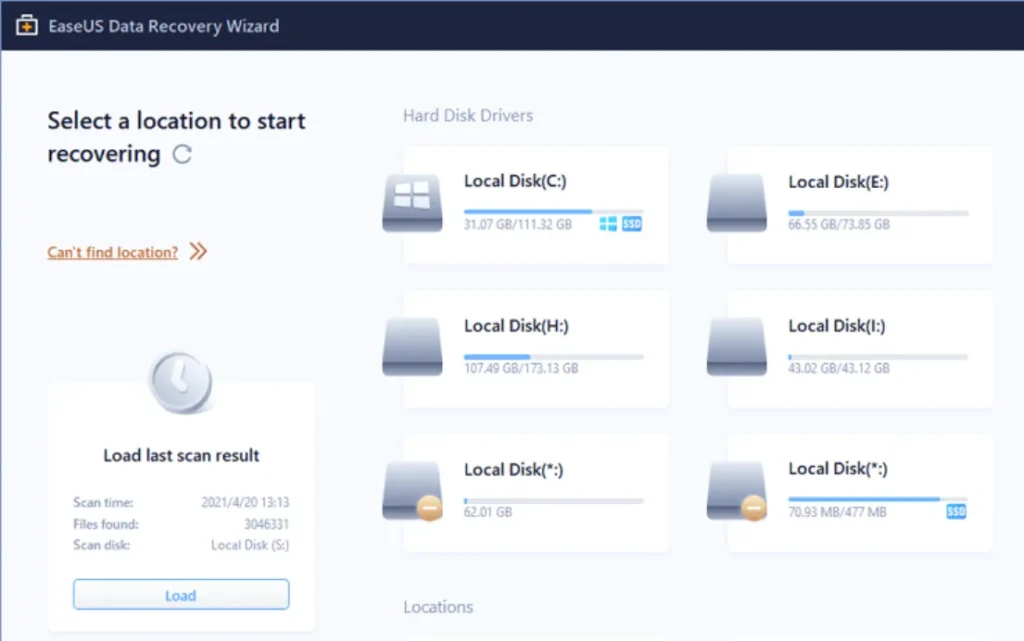
EaseUS Data Recovery Wizard
Perfect for beginners, EaseUS combines a user-friendly interface with solid scanning capabilities. It handles everything from accidental deletions to formatted partitions and supports both Windows and macOS. A free version lets you recover a limited amount of data before requiring purchase—a smart way to test before upgrading.
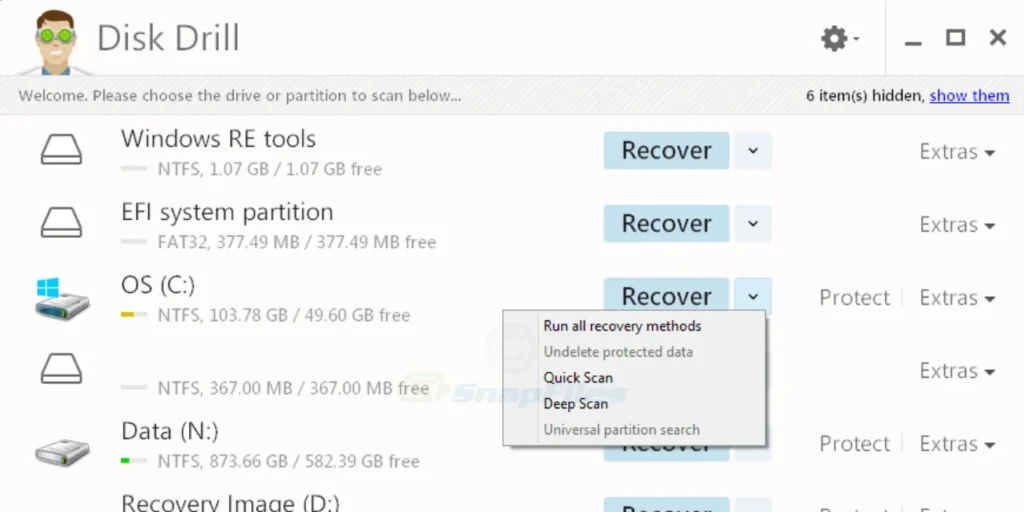
Disk Drill
Great value with broad recovery features. Available on both Windows and macOS, Disk Drill offers a free tier that recovers up to 500 MB, making it ideal for quick recoveries. Its robust paid version unlocks advanced features like RAID, deep scan, and file format support.
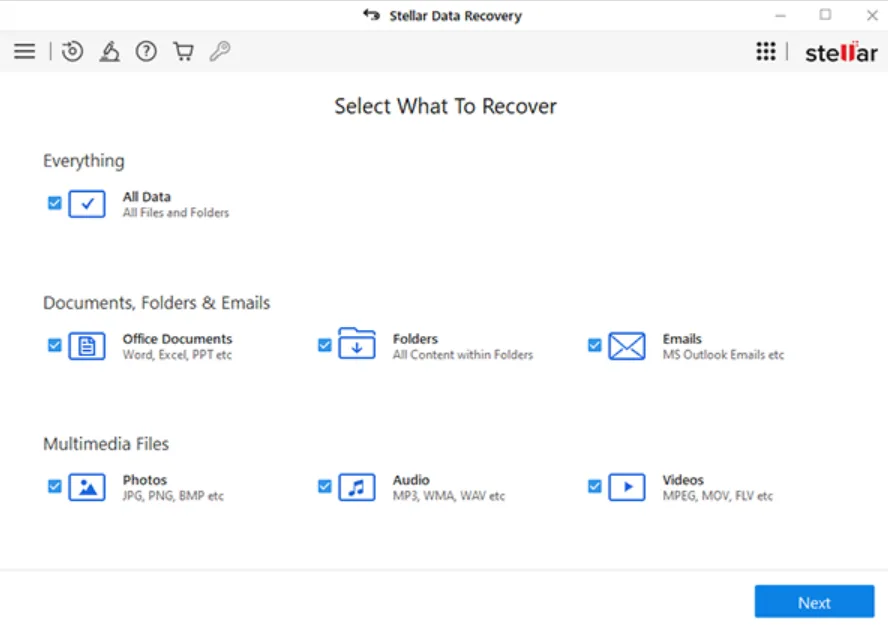
Stellar Data Recovery
The power user’s choice: Stellar shines with customizable recovery workflows and support across many platforms (including iOS and Android). Though it leans pricier, its advanced control—filter by size, type, or modified date—makes it perfect for professionals dealing with large volumes of data.
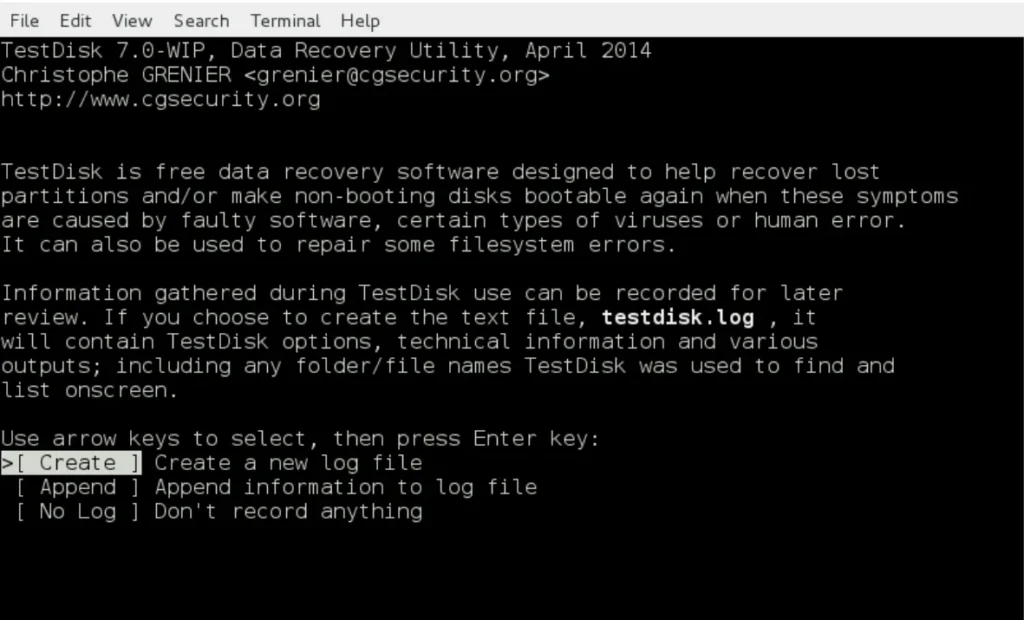
TestDisk (free/open-source)
For tech-savvy users, TestDisk offers powerful recovery capabilities on many platforms. It runs in a command-line interface and excels at recovering lost partitions or repairing corrupted filesystems, without any cost. Great for deep-level troubleshooting.
Quick Comparison
| Software | Best For | Free Tier | Supported Platforms |
|---|---|---|---|
| EaseUS Data Recovery | Beginners and general users | Yes (limited) | Windows, macOS |
| Disk Drill | Value and flexibility | Yes (500 MB) | Windows, macOS |
| Stellar Data Recovery | Advanced/custom recovery tasks | Trial | Windows, macOS, iOS, Android |
| TestDisk | Technical and CLI-focused recovery | 100% free | Multi-platform, CLI |
Buying Tips
- Start with the free version—many times that’s enough for minor recoveries.
- If scanning reveals your files but can’t restore them, upgrading is typically worth it.
- Watch for bundled offers—some sales include backup tools or lifetime updates.
- Always recover files to a different drive to avoid overwriting the very data you’re trying to rescue.
Conclusion
Data loss can feel devastating, but with the right tool on hand, recovery is often just a few clicks away. EaseUS offers approachable simplicity, Disk Drill gives solid performance at great value, Stellar caters to advanced power users, and TestDisk remains a no-cost powerhouse for technical folks. Keep one installed and ready—you’ll thank yourself when you need it most.
If you don’t want to resort to recovering data with tools just yet or if you accidentally removed your own files, you can also try our guide which covers methods to repair corrupted files. Often this will work if the storage medium itself is ok and your files are still there, just not functioning.