
Best Antivirus Software (Our Top Picks and How We Decided)
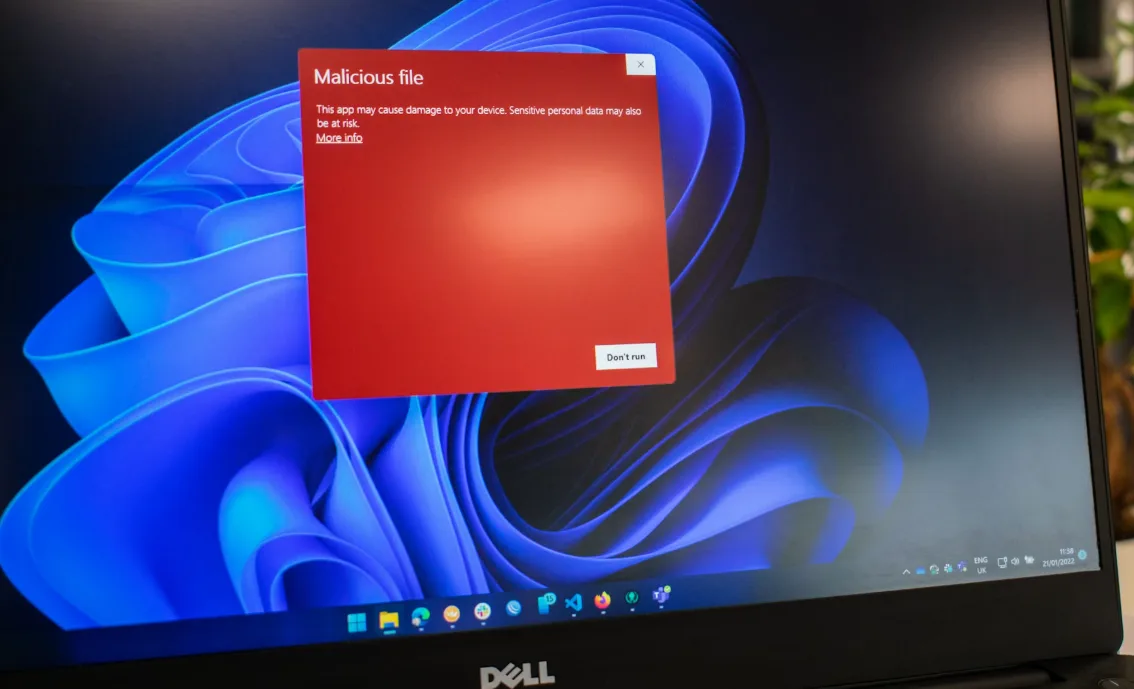
Protecting your PC from malware, ransomware, phishing, and other cyber threats is non-negotiable. While Windows Defender provides a solid baseline, dedicated antivirus software can offer stronger detection rates, more frequent updates, and advanced features such as ransomware rollback, identity theft monitoring, and cloud-based threat analysis. The right tool can mean the difference between catching a threat immediately and dealing with a costly cleanup later.
Windows ships with Microsoft Defender, which provides solid baseline protection, but many users still benefit from third-party suites that score higher in independent tests, add stronger web/phishing filters, ransomware rollbacks, identity protections, and cross-platform coverage.
This guide focuses on what actually matters: proven detection in independent labs, low system impact, useful (not gimmicky) features, sane privacy practices, and fair pricing. And hey, even MACs can benefit from having antivirus software, so we’ll get into that too.
How to evaluate antivirus software
When choosing antivirus software, the first step is understanding how it will affect your day-to-day use of your computer. Even the most secure program can be a bad fit if it slows your system to a crawl. That’s why system performance impact is critical. Good antivirus software should run quietly in the background without hogging CPU, RAM, or disk resources, even during full scans.
Lightweight options like Malwarebytes are known for minimal performance impact, while some all-in-one suites may use more resources due to added features like firewalls or VPNs. Always check independent benchmarks from testing labs such as AV-Comparatives and AV-Test to see how a product performs under real-world conditions.
Modern antivirus programs go far beyond detecting basic malware, so it’s important to weigh the features beyond malware protection. Many now include ransomware rollback, which can restore files encrypted by an attack, and phishing protection that blocks malicious websites before they load. Some also bundle parental controls, secure password managers, file shredders, and identity theft monitoring. While these extras can be valuable, they may also overlap with tools you already use—so it’s worth deciding if you want an all-in-one solution or just core protection.
Finally, don’t overlook privacy and data practices. An antivirus product should be transparent about how it collects, stores, and uses your data. Some companies share anonymized threat data to improve detection, but others have faced criticism for overly broad data collection or questionable partnerships. Check the vendor’s privacy policy, look for third-party audits, and be aware of where the company is headquartered, as local laws can affect how your data is handled.
Our top antivirus picks for Windows
| Product | Free Tier | Platforms | Strengths | Caveats / Notes |
| Malwarebytes Premium | No (Free on-demand available) | Windows, macOS, Android, iOS | Lightweight, excellent zero‑day/PUP cleanup, no bloat | Fewer suite extras; great alongside Microsoft Defender |
| Malwarebytes Free (on‑demand) | Yes (on‑demand scans only) | Windows, macOS | Quick manual cleanup; complements built‑in AV | No real‑time protection; not a full replacement for AV |
| Bitdefender Total Security | No | Windows, macOS, Android, iOS | Top lab scores; strong ransomware defenses; very light | Some extras (VPN, manager) limited or tiered |
| Norton 360 Deluxe | No | Windows, macOS, Android, iOS | All‑in‑one suite: VPN, backup, dark‑web monitoring | Heavier footprint; some features OS‑limited |
| Avast (Free / One / Premium Security) | Yes (Avast Free / One Essential) | Windows, macOS, Android, iOS | Strong free option; good phishing & network checks | Past data‑collection concerns; review privacy settings |
| Avira (Free / Prime) | Yes (Avira Free) | Windows, macOS, Android, iOS | Light, solid detection; generous free tools | Advanced features paywalled; occasional prompts |
| F‑Secure Total | No | Windows, macOS, Android, iOS | Simple UI; reliable protection; includes VPN & ID monitoring | Fewer power‑user controls; pricier than basics |
| Microsoft Defender (Windows Security) | Built‑in (Free) | Windows | Integrated, low friction; good baseline protection | Fewer extras; third‑party suites often score higher in web/zero‑day |
| ESET (NOD32 / Internet Security) | No | Windows, macOS, Android | Very light footprint; granular controls; strong reputational trust | Fewer bundled extras (VPN/backup) than big suites |
Malwarebytes premium (personal favorite)
Malwarebytes specializes in malware cleanup and real‑time protection against ransomware, phishing, and spyware, all while remaining light on system resources. It supports Windows, macOS, Android, and iOS (iOS only offers web protection due to platform restrictions). The Premium version installs a minimalistic dashboard with real‑time protection, scheduled scanning, and an optional VPN. Its browser extension, Browser Guard, blocks ads, trackers, and malicious sites.
- Pros: Fast, accurate protection with minimal noise; excellent at removing rootkits & PUPs; no-BS interface, trusted in-shop for years.
- Cons: Lacks extras like device optimization, parental tools, or bundled password managers; VPN is basic.
- Best for: Users wanting effective, low-overhead protection—especially as a complement to built-in Windows Defender.
Bitdefender total security
Bitdefender is repeatedly at the top in independent lab tests, earning stellar scores across protection, performance, and usability. It supports Windows, macOS, Android, and iOS—though not all features work uniformly across platforms. Its Game, Movie & Work Modes suppress pop-ups and scans when you’re active, and Battery Mode tweaks system settings to reduce energy usage on laptops. Extras include weekly optimizer tools, a VPN (200 MB/day), and a built-in password manager.
- Pros: Excellent real-time ransomware protection, strong ratings. lightweight system footprint; cross‑platform support.
- Cons: Deep scans can take a while, and some advanced features may be locked behind higher tiers.
- Best for: Users who want top-tier protection with minimal system impact and useful extras on multiple devices.
Norton 360 deluxe
A true all‑in‑one suite offering antivirus, firewall, spyware blocking, encrypted cloud backup, a privacy VPN, and dark‑web monitoring. It supports up to five devices across Windows, macOS, Android, and iOS. Note that features like Parental Control, SafeCam, and Cloud Backup are not available on macOS or Windows in S Mode. Defender turns off when Norton is installed—except for the firewall, which must remain active for updates to function properly.
- Pros: Many security services in one place; excellent phishing and identity theft shields.
- Cons: Resource-intensive; some features are platform-limited; price is higher than baseline suites.
- Best for: Families or professionals who value integrated privacy and productivity features.
Avast premium security (and free tier)
Avast offers both a feature-rich free edition and a lightweight premium version. The free version supports Windows, macOS, Android, and iOS, delivering real-time protection, AI-powered anti-scam guidance, Wi-Fi network security, and phishing defenses—without charging a dime. The premium version adds ransomware protection, secure banking browser, webcam blocking, sandbox mode, and Email Guardian, all while maintaining fast scans and low false positives.
- Pros: Solid lab scores, easy to use, and packed with extras—especially useful in the free version.
- Cons: Face of privacy concerns: in 2024, Avast was fined $16.5 million by the FTC for selling user browsing data—followed by a partial shutdown of its data collection business. This raises caution about its telemetry practices.
- Best for: Users looking for robust free protection with bonus tools and are comfortable with Avast’s new data policies.
Avira free security (and Pro)
Avira’s free tier delivers more than just malware protection—it includes proactive detection, web protection, performance optimization, and a system speedup module. The paid versions (Antivirus Pro, Internet Security, and Prime) layer in enhanced phishing protection, advertising blockers, email filters, and even a VPN in Prime, all in a lightweight system footprint. Avira supports Windows, macOS, Android, iOS, and Chromebook.
- Pros: Feature-rich free version, strong malware detection, and minimalist resource use.
- Cons: Launches slower apps, mobile protection in paid tiers can be costly, interface can be overwhelming for beginners.
- Best for: Users who want a free, versatile defense suite with optional upgrade paths.
F-secure total (and internet security)
F‑Secure provides seamless protection across Windows, macOS, Android, and iOS with its Total suite. It bundles antivirus, VPN, parental controls, a password manager, and identity monitoring—all under one subscription with a clean, minimal interface. The standalone Internet Security version focuses on malware defense and real-time web protection while supporting the same OS lineup (excluding some ARM or older systems).
- Pros: Highly beginner-friendly, reliable detection, and includes extras like VPN and dark-web alerts.
- Cons: Fewer advanced customization options for power users; more expensive than basic suites.
- Best for: Families or users who want a simple, bundled security solution without multiple add-ons.
ESET (NOD32 / Internet Security)
ESET delivers lightweight, multi-platform antivirus protection with NOD32 focused on core malware defense and Internet Security adding advanced features like firewall, ransomware shield, and device control. Known for strong detection rates and low false positives, it runs efficiently on Windows, macOS, Linux, and Android, making it a favorite among power users. Its granular settings allow for fine-tuned scans, while its exploit blocker and anti-phishing tools bolster defenses against targeted attacks.
Pros: Very light on system resources; highly configurable; excellent detection with minimal false alarms; supports multiple platforms.
Cons: Interface may intimidate beginners; fewer bundled extras compared to some rivals; top features locked to higher tiers.
Best for: Users who want high-performance protection with detailed control over their security settings.
Antivirus apps you should probably avoid
notable controversies in antivirus history
avast / jumpshot privacy scandal
In 2024, the FTC fined Avast $16.5 million for collecting and selling users’ browsing data through its subsidiary Jumpshot—despite marketed claims that it protected privacy by blocking trackingThe Sun+2The Sun+2Federal Trade Commission+9Federal Trade Commission+9biometricupdate.com+9. As part of the settlement, Avast must delete all data inherited by Jumpshot, stop sharing browsing data for advertising, and compensate affected usersIT Pro Expert -+3biometricupdate.com+3The Sun+3.
The scandal deeply eroded trust in Avast, especially since users assumed their data was private. The settlement opened claims in early 2025, with payments expected in 2026Reddit+5The Sun+5The Sun+5.
Kaspersky and geopolitical distrust
Kaspersky has long been criticized over its alleged ties to Russian intelligence. Reports surfaced that it inadvertently flagged NSA hacking tools as malware on a contractor’s PC, renewing fears about government interferenceWikipedia+5ZERO DAY+5The Guardian+5.
In response, the U.S. banned Kaspersky from government use in 2017, and in June 2024, the Commerce Department prohibited all sales and software updates for U.S. users, citing national security risks. The restrictions took full effect by September 29, 2024ZERO DAY+6WIRED+6Reuters+6.
In 2015, former employees alleged that Kaspersky submitted falsified malware samples to VirusTotal to trigger false positives in competitor products. Kaspersky denied wrongdoing, suggesting the claims were sensationalistWikipedia.
Mackeeper’s controversies (mac user beware)
MacKeeper has long been a red flag among macOS users—not because it’s outright malware, but due to its aggressive marketing, questionable utility, and sketchy legacy. Originally developed by ZeoBIT and later sold to Kromtech and Clario Tech, it promised cleanup, virus protection, and performance optimization. However, from day one it faced fierce criticism for:
- A 2014 class-action lawsuit accusing ZeoBIT of scare tactics—reporting fake “critical” system issues on clean Macs to push paid upgrades. It settled for $2 million in 2015 with no admission of wrongdoing.en.wikipedia.org+14en.wikipedia.org+14en.wikipedia.org+14
- A massive data leak in 2015 involving unsecured MongoDB servers containing emails, IPs, and hashed passwords for 13 million users.en.wikipedia.org
- Persistent reputation as scareware or potentially unwanted software (PUP) — highlighted by its removal difficulty, frequent popups, domain spoofing detouring to ClamXav, and ethical questions about its marketing.discussions.apple.com
- While MacKeeper has since been notarized by Apple, rebranded under Clario, and cleaned up marketing practices, many experts advise caution.reddit.com+12eclecticlight.co+12makeuseof.com+12
TL;DR: MacKeeper isn’t directly malicious, but its legacy issues—false alerts, hidden installations, and user distrust—make it a poor fit compared to well-reviewed antivirus tools and maintenance utilities.
McAfee – difficult installs, aggressive upselling, and founder’s public disavowal
McAfee has long been a household antivirus name, but it’s just as well-known for its frustrations. For years, users have complained about bloated system performance, constant pop-ups, and difficulty uninstalling the software completely — an experience made worse when McAfee comes preinstalled on new machines. Windows users often need to strip out other antivirus tools before installing, and even then can run into update loops or failed scans.
Its reputation took another hit in 2010 when a botched update quarantined a critical Windows file (svchost.exe), triggering endless reboot loops and knocking out systems across hospitals, retail chains, and government offices worldwide.
The company’s founder, John McAfee, left in the 1990s, later denouncing the product as “bloatware.” His most infamous jab came in a bizarre, drug-themed parody video titled How to Uninstall McAfee Antivirus, in which he mocked both the software and the panic-driven marketing tactics common in the industry.
Critics also point to aggressive scare tactics — such as overblown “dark web” breach alerts — and constant upselling of premium features that compete with free, built-in Windows security. While McAfee has improved detection rates in recent years, its long-standing trust and usability issues keep it a frequent fixture in “avoid if possible” lists.
What should you do next?
After reviewing the options, Malwarebytes Premium stands out as our personal favorite. It’s the tool we’ve trusted in-shop for years because it does the job without bloating your system or bombarding you with unnecessary features. Its fast scans, strong malware cleanup, and no-nonsense interface make it a solid everyday defense. Plus, it works with Macs too.
If you want to take your security a step further, check out our security and privacy guide for more tips on keeping your devices and accounts safe. You can also try our quick security and privacy health check to see how your setup measures up and identify any weak points before they become a problem.